


Eon Access 2.0 is Now Live
Advanced Orthodontics. Simplified.
Eon Access 2.0 brings advanced treatment planning into one connected experience, giving you deeper insight, a more intuitive workflow, and greater control over every treatment decision.
Treatment Insight
Understanding treatment progression through advanced visualization.
See more.
Assess deeper.
Plan with greater confidence.
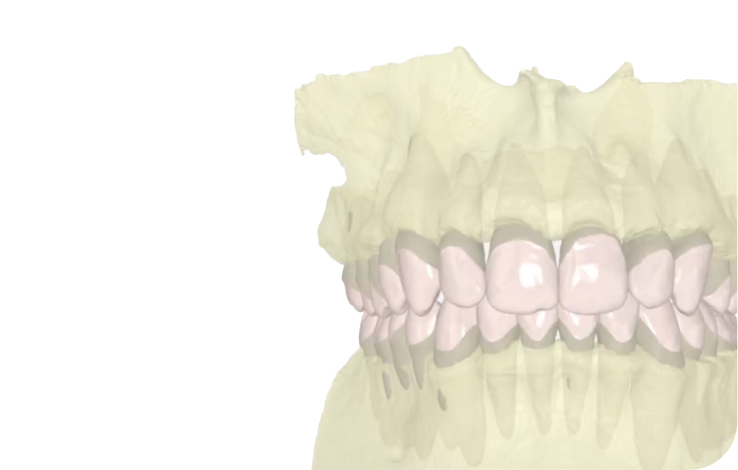
CBCT
Fuses the CBCT scan with IOS crowns to visualize actual root positions throughout treatment.
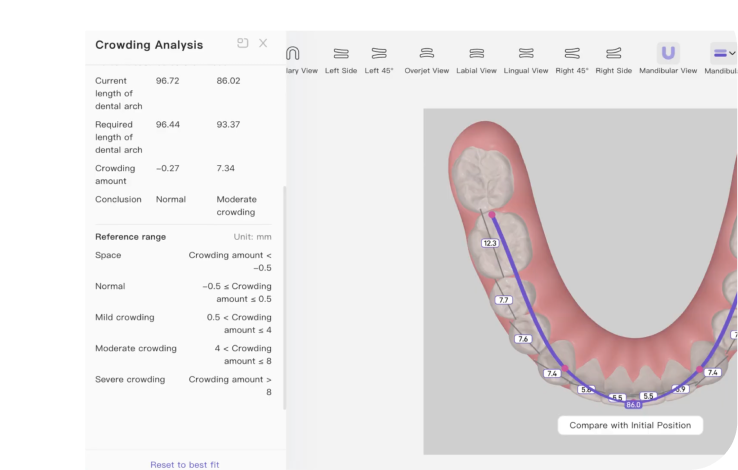
Crowding Analysis
Measures crowding across the anterior region, 5–5, and 6–6 to help assess space requirements.
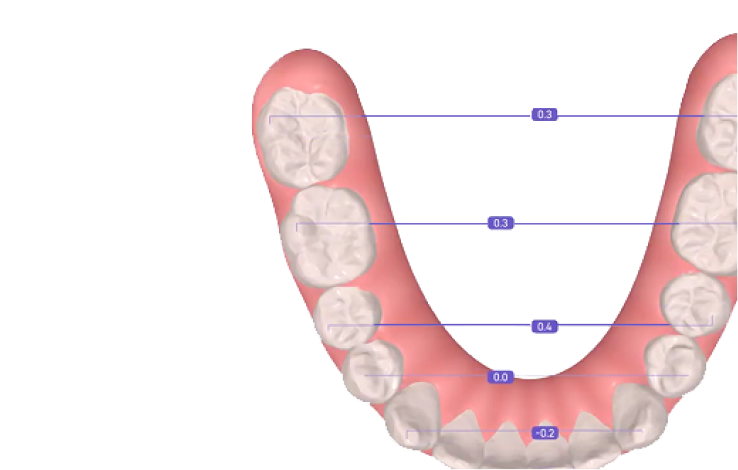
Symmetry Analysis
Evaluates arch symmetry across the coronal, sagittal, and vertical planes.
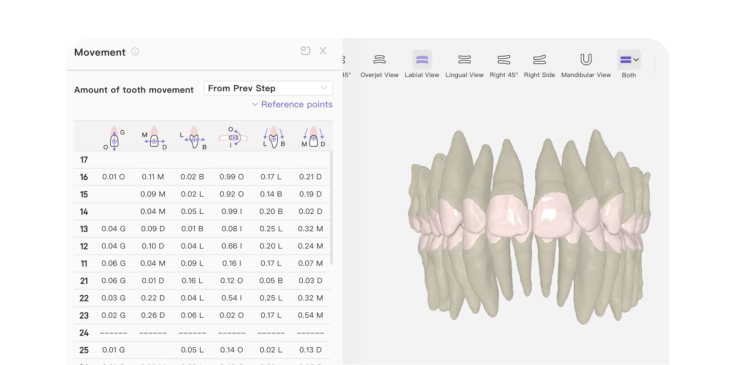
Root-Based Movement Table
Review movement rates by stage or cumulatively, using the root as the reference point.
Spee Curve Visualisation
Measure and visualize the natural front-to-back curve of the lower arch.
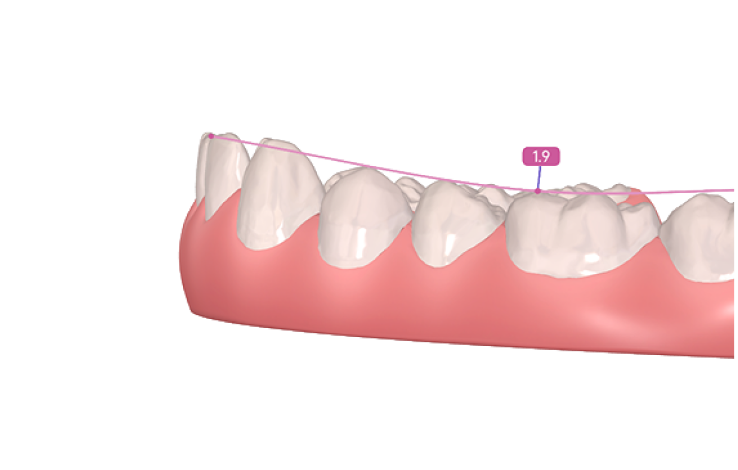
Together, these tools provide a deeper view of planned tooth and root movement.
Seamless Experience
Creating a more intuitive and efficient planning experience.
An intuitive way to navigate, edit, and refine.
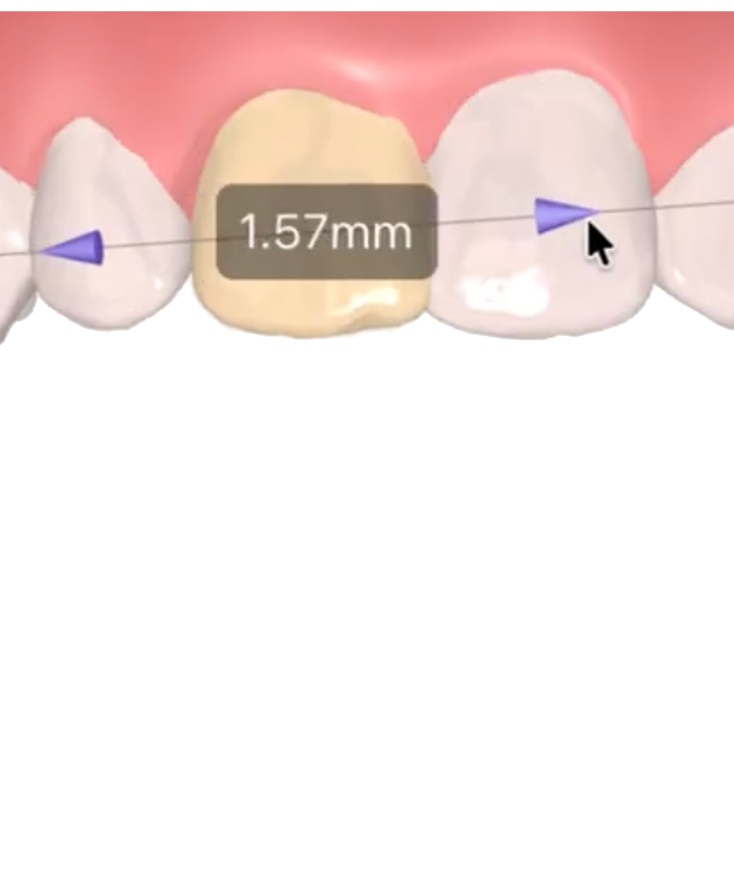
Auto Adjust Teeth Positions
Automatically repositions other teeth in response to a modification based on predefined rules.
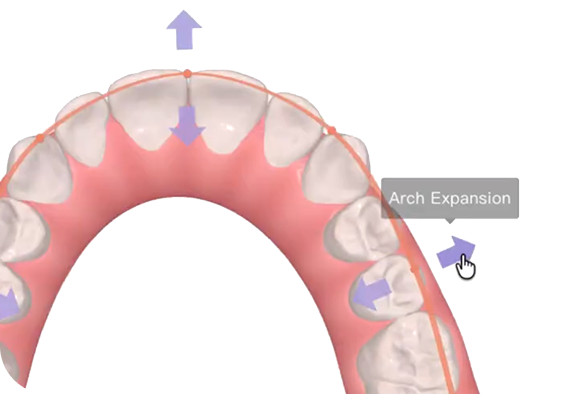
Arch Expansion & Contraction
Adjust the arch curve and automatically align teeth along the new curve.
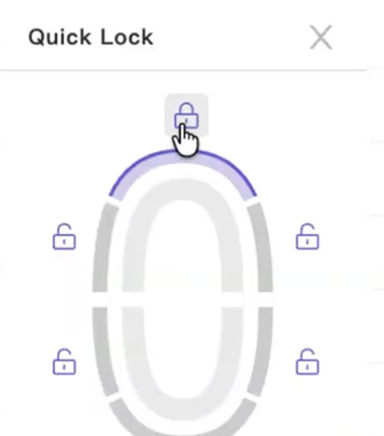
Locking Teeth
Keeps selected teeth fixed while you adjust the rest of the setup.
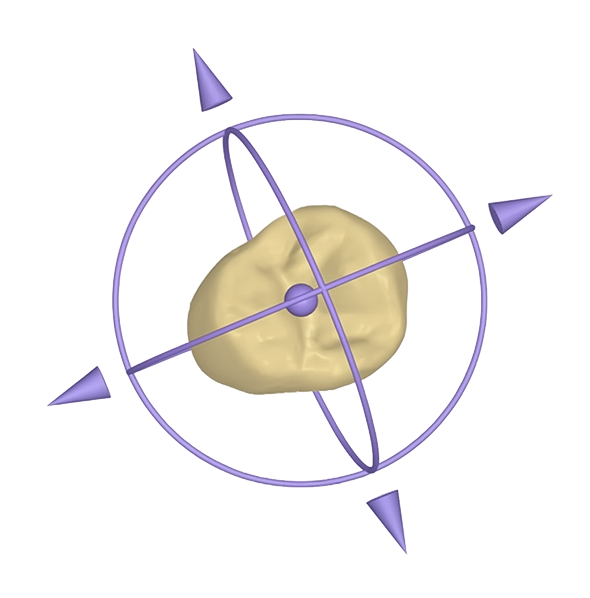
Orbit Controls
Move teeth directly using transform controls for precise positioning.
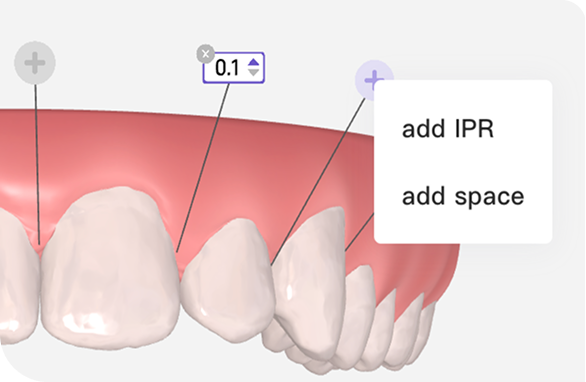
IPR & Spacing
Adjust planned IPR and spacing amounts directly within the treatment setup.
Creating a more intuitive and efficient planning experience.
Clinical Control
Providing greater flexibility and control to customize treatment decisions with precision.
More control over every detail of the setup.
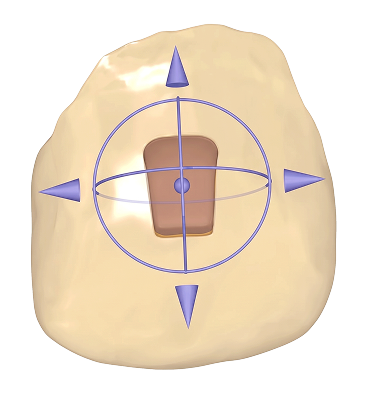
Attachment Modifications
Measure and visualize the natural front-to-back curve of the lower arch.
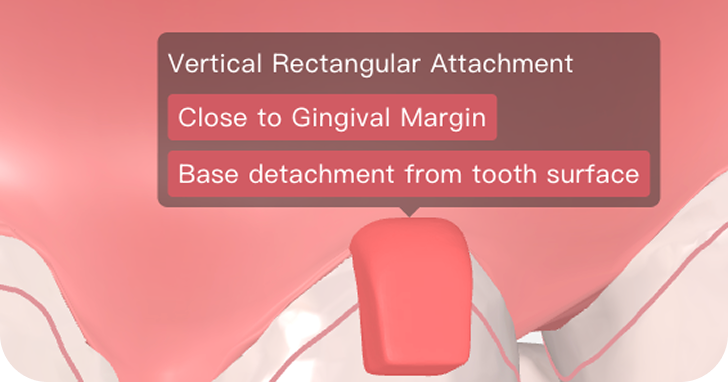
Attachment Placement Warnings
Helps visualize planned arch and skeletal changes throughout treatment.
Controller Buttons
Measure and visualize the natural front-to-back curve of the lower arch.
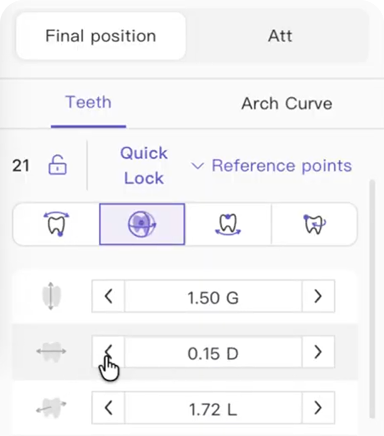
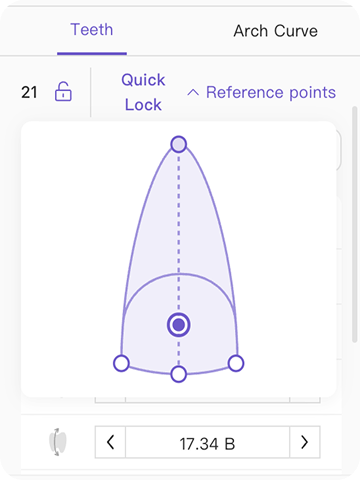
Choose Rotation Centres
Measure and visualize the natural front-to-back curve of the lower arch.
Assess key treatment relationships directly within the treatment plan.
Frequently Asked Questions
General
Will my existing cases automatically use the new Eon Access 2.0 viewer, or only new cases?


Where can I learn more about the new features?
Will Eon Access 2.0 affect how I communicate changes or revisions to my treatment plans?
What has changed in Eon Access 2.0?
Will it change how I submit cases?
Timeline and Navigation
What are the orange lines shown on the timeline?
Can I navigate through the timeline using the keyboard?
Can I compare only the initial and final steps?
3D Model Navigation
How can I zoom in and out of the model?
How can I move the model without rotating it?
How can I rotate the 3D model?
How can I view only one arch?
Roots, Domes & Pontics
What are the roots shown when I activate the Roots feature based on?
What does the Dome feature represent?
What does the Pontic feature represent?
Tools & Measurement Calibration
What is the 3D grid measurement calibrated to?
What is the Occlusion toggle used for?
What is the OB/OJ tool used for?
Where can I find the ruler tool?
What is the ABO-OGS tool used for?
How do I read the IPR measurements?
Symmetry & Movement Analysis
In Symmetry Analysis, what is the difference between coronal, sagittal, and vertical directions?
What does O/G mean in the Movement Table?
What is the difference between the two MD values?


