


Treatment Insight
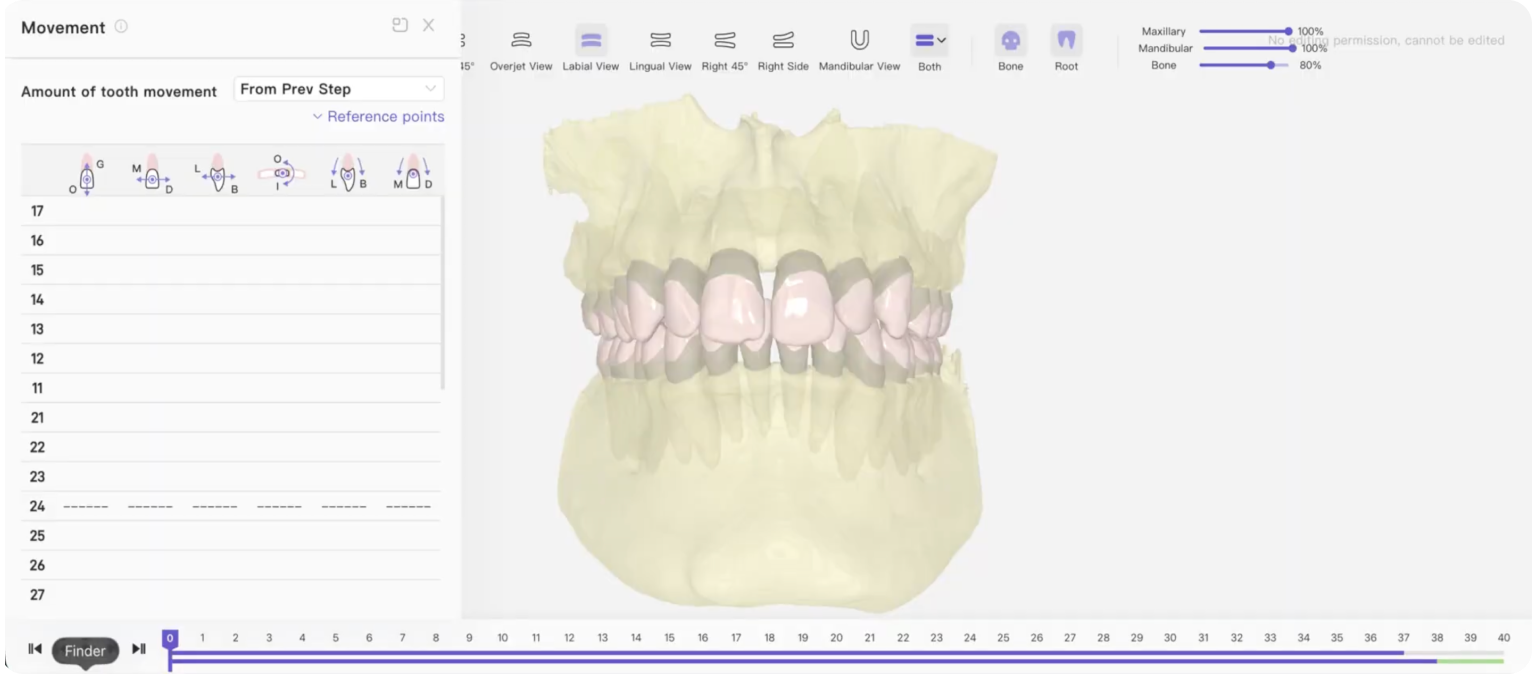
CBCT
Fuses the CBCT scan with IOS crowns to visualize actual root positions throughout treatment. Visualizes actual root positions and periodontal support to prevent fenestration and root collisions.
Visualizes actual root positions and periodontal support to prevent fenestration and root collisions.
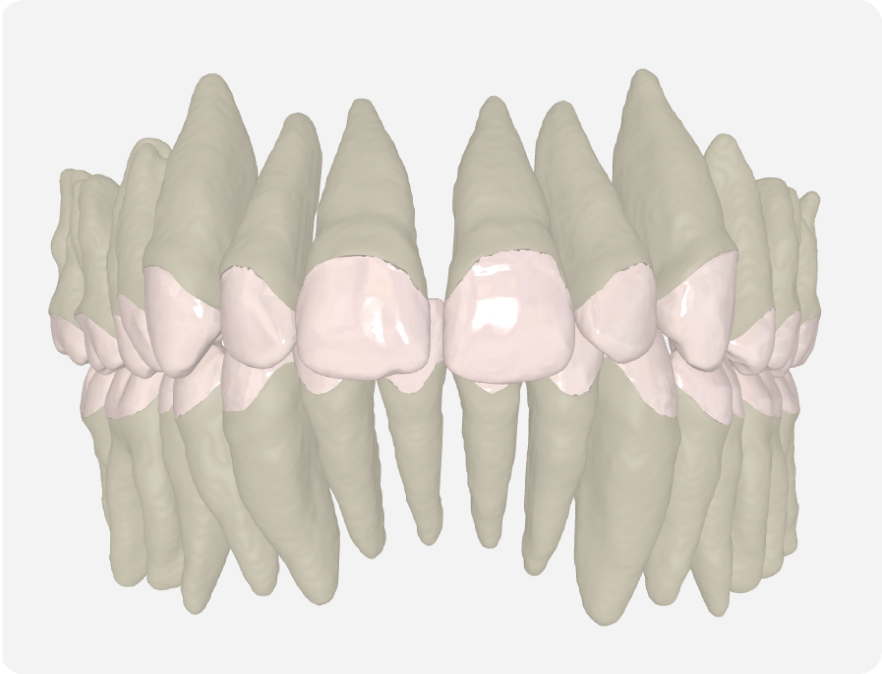
Simulation Roots
Display estimated virtual roots to help assess tooth long axes and approximate root positions.
Helps evaluate long axes and approximate root positions when CBCT scans are unavailable.
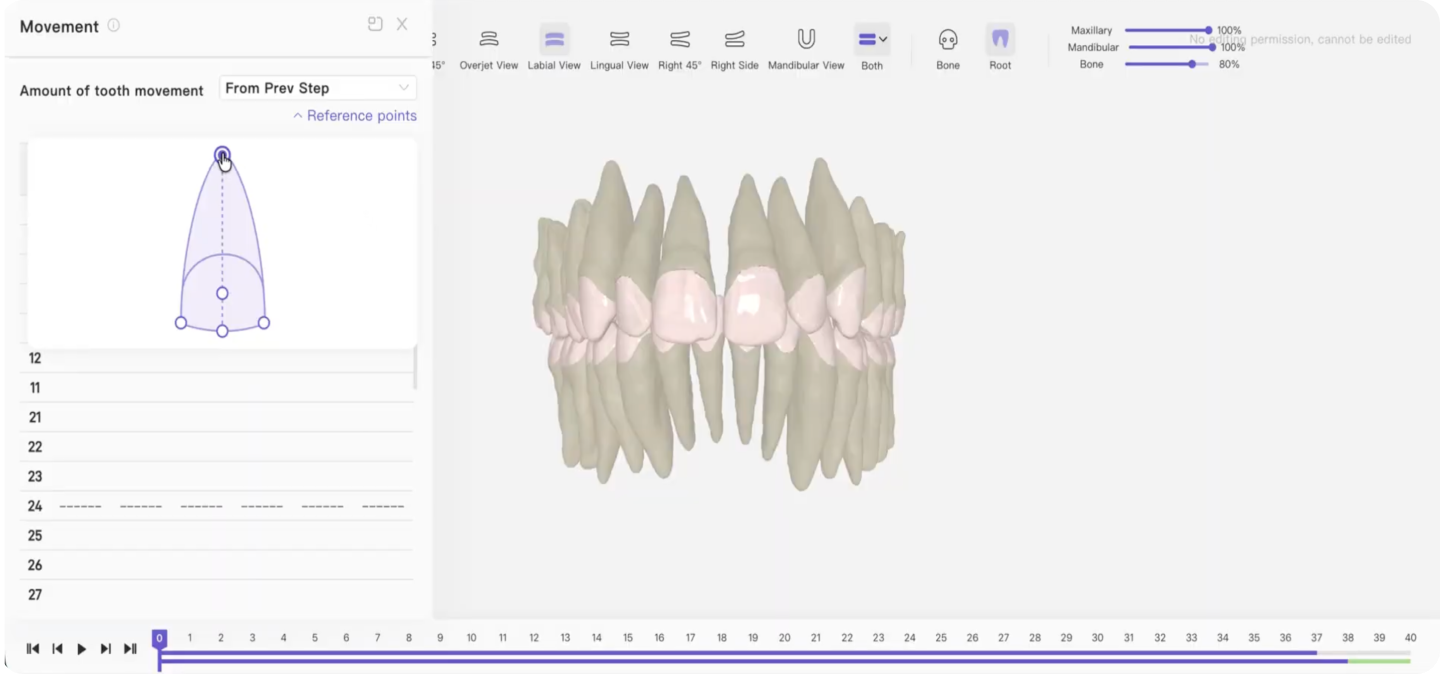
Root-Based Movement Table
Allows you to review movement rates by stage or cumulatively, using the root as the reference point.
Evaluates stage movement rates referenced to the root apex for safe displacement.
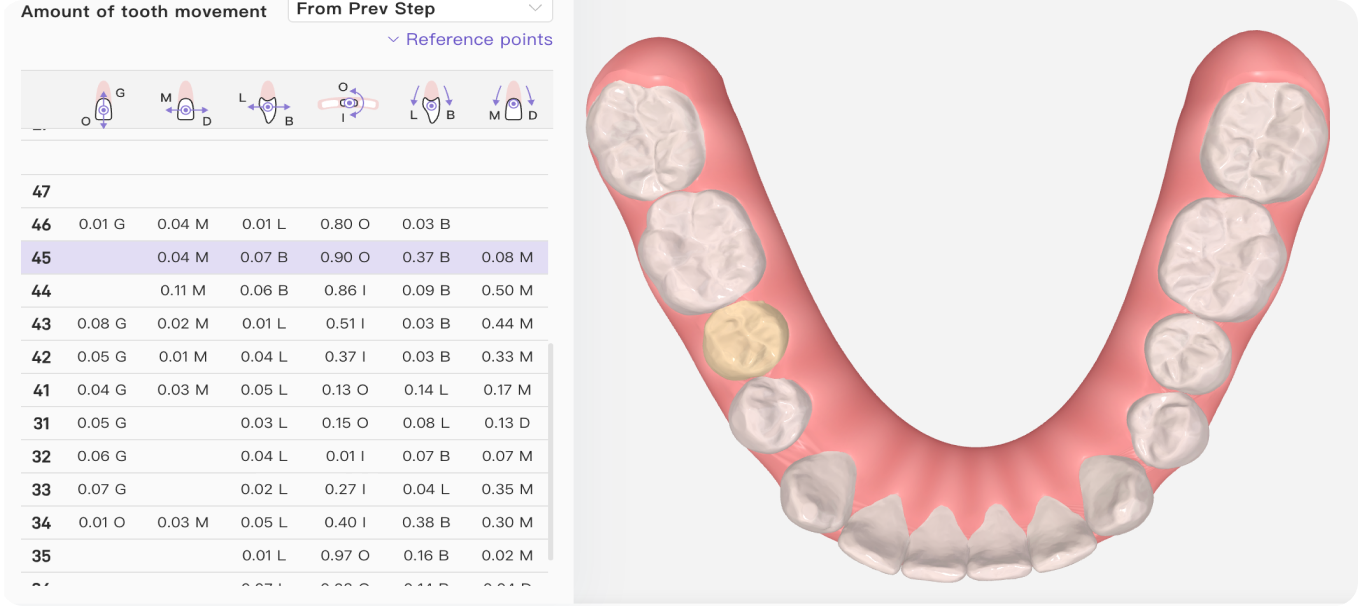
Movement Table
Allows you to review the full range and direction of tooth movement, either step-by-step or cumulatively.
Precise quantification of multiple movements across all treatment stages for predictable biomechanics.
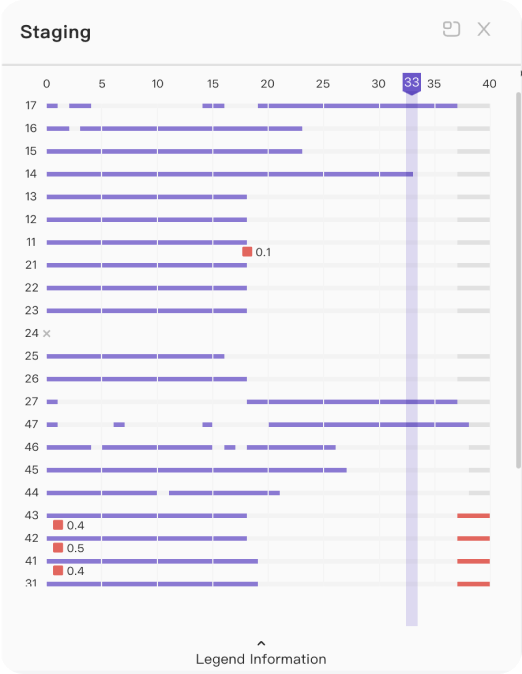
Staging Timeline
Brings treatment events into one view, including tooth movements, attachments, IPR, and other changes across the treatment stages.
Provides a clear chronological roadmap to verify staging logic and clinical milestones before production.
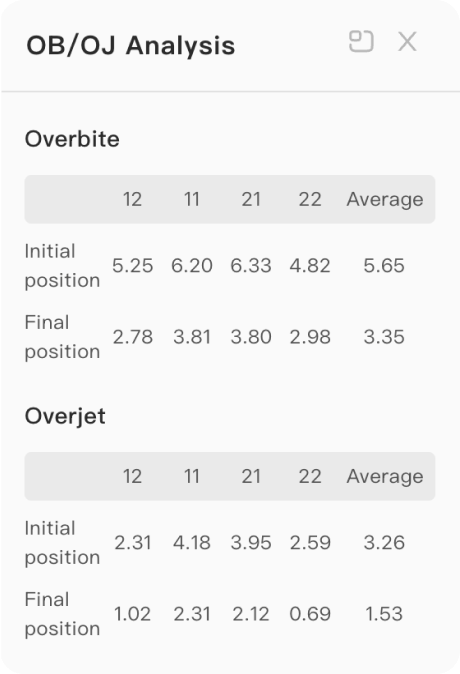
The Overjet / Overbite Table
Makes it easier to compare initial and final measurements directly within the plan.
Delivers precise numerical tracking of deep bite or open bite correction across treatment stages.
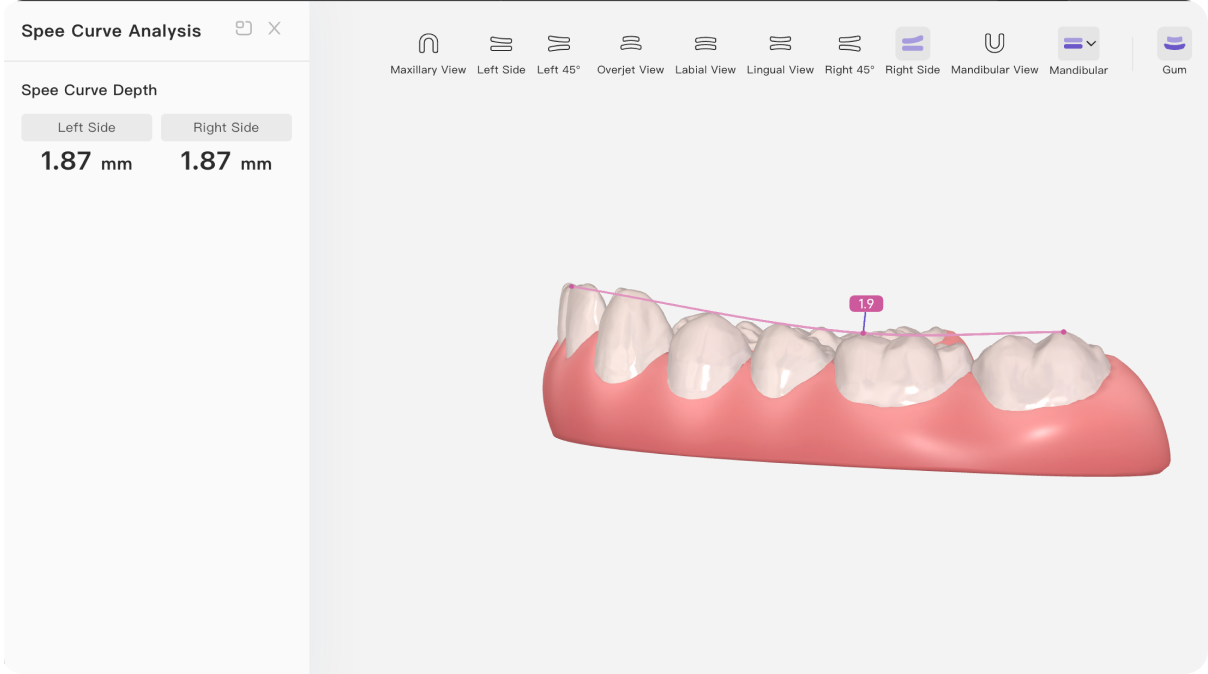
Spee Curve Visualisation
Allows you to measure and visualize the natural front-to-back curve of the lower arch.
Helps plan leveling strategies for deep bite correction and arch form design with true mechanical guidance.
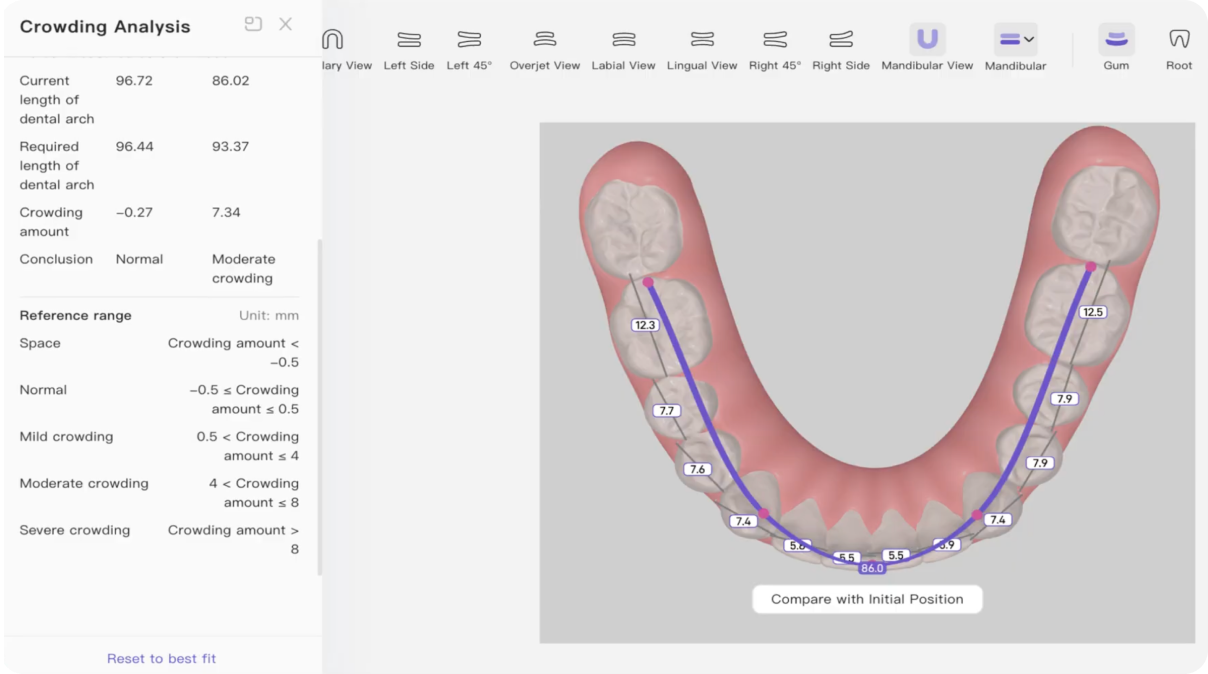
Crowding Analysis
Measures crowding across the anterior region, 5–5, and 6–6 to help assess space requirements.
Pinpoints exact millimeter space shortages to guide precise decisions between IPR, arch expansion, or extraction strategies.
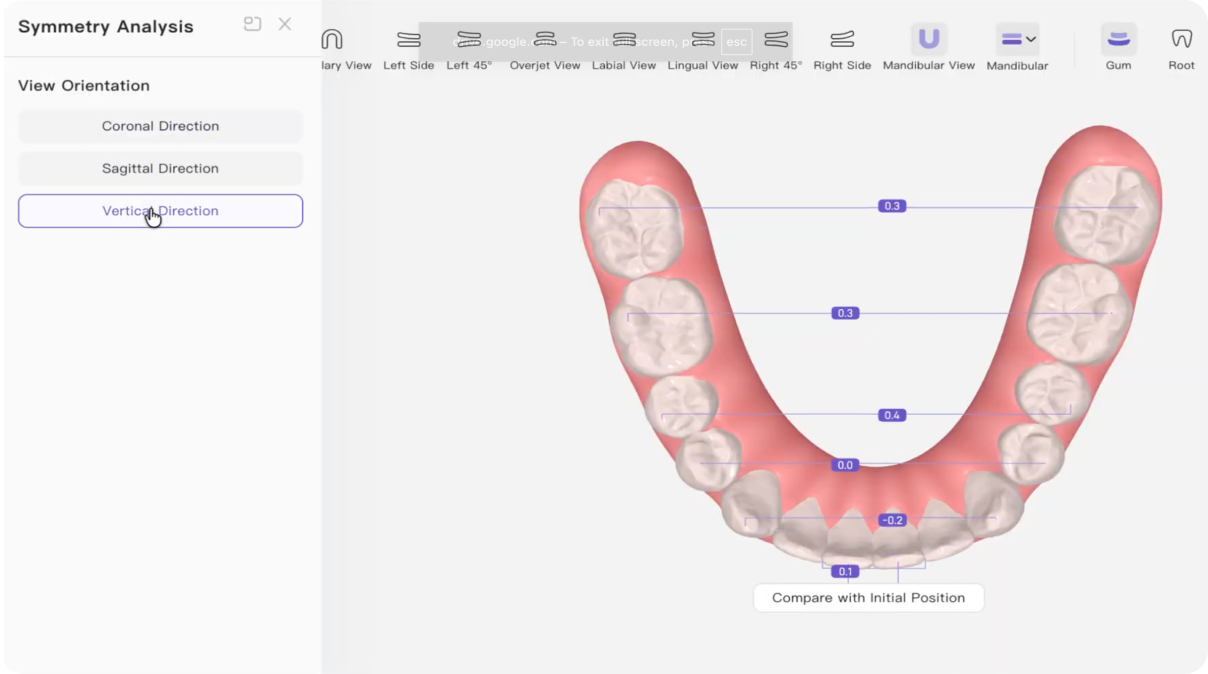
Symmetry Analysis
Evaluates arch symmetry across the coronal, sagittal, and vertical planes.
Identifies subtle arch asymmetries and midline deviations to plan balanced, symmetrical arch form alignment.
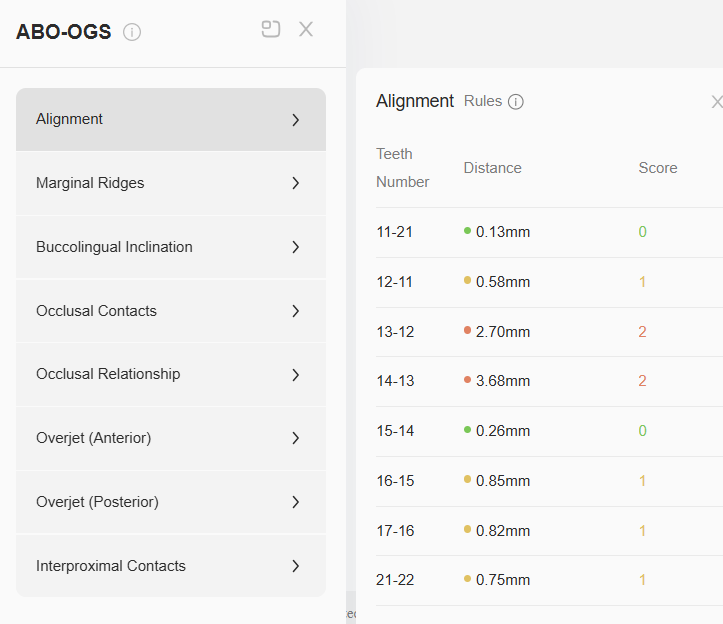
ABO OGS Scores
A standardized index used to evaluate post-treatment finishing quality on digital models.
Validates treatment plans against board-certified criteria before manufacturing to ensure premier clinical standards.
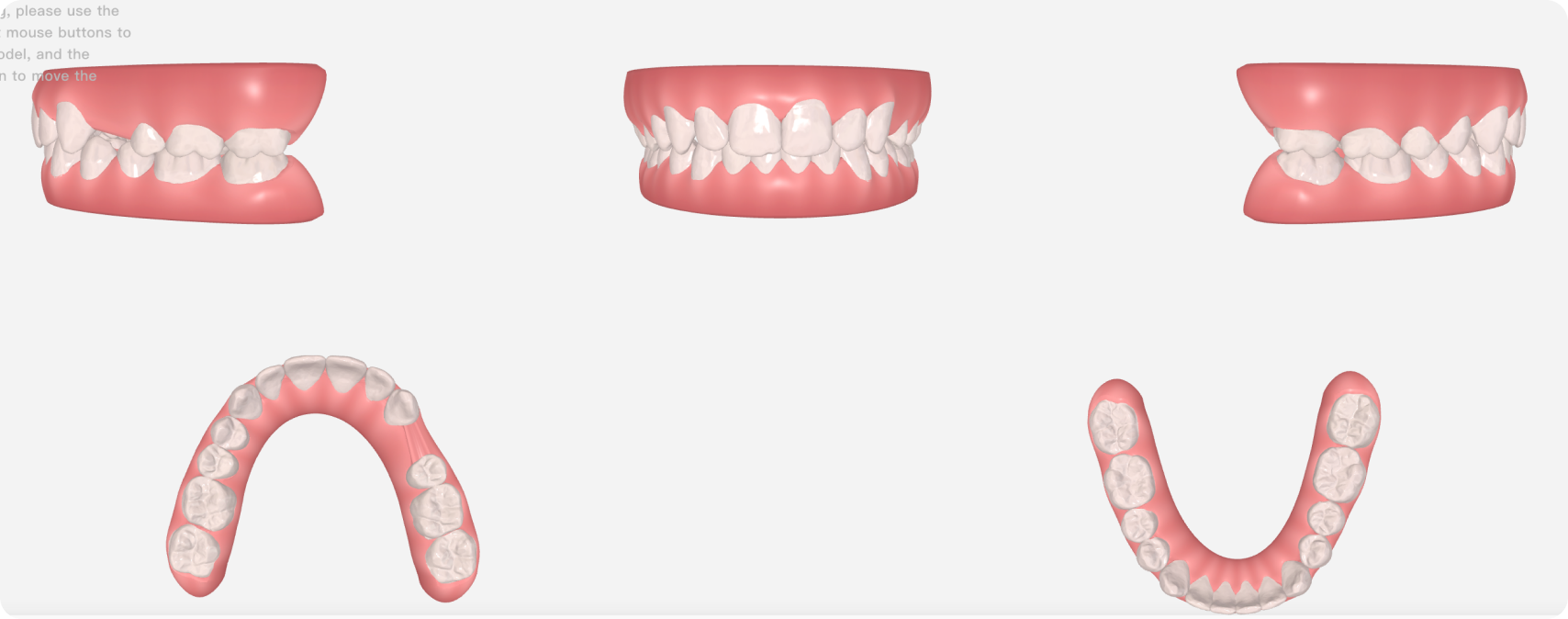
Composite / Multi-view
Lets you view multiple treatment perspectives within the same workspace.
Speeds up evaluation of arch form symmetry, contacts, and alignment simultaneously without manual rotations.
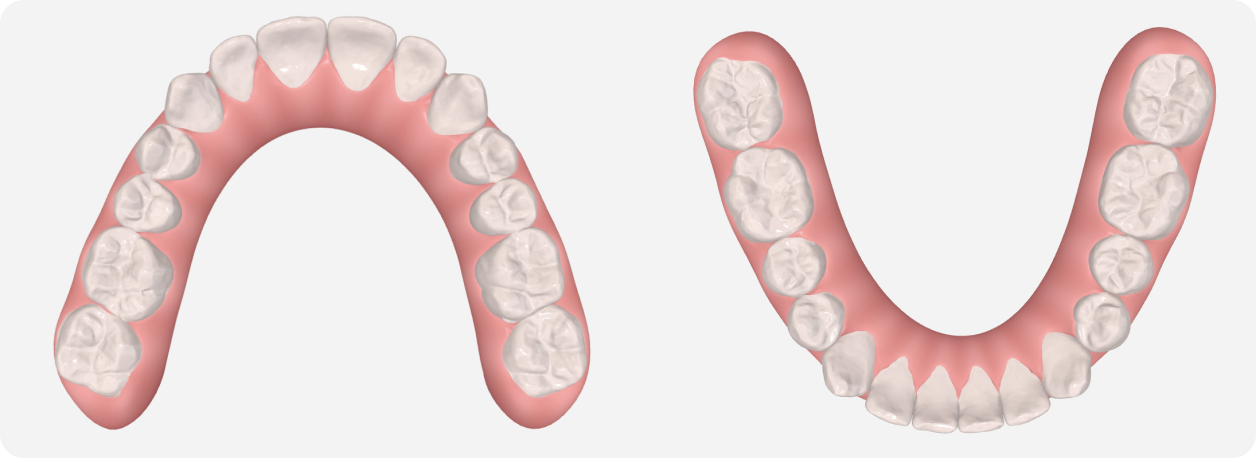
Occlusal Views
Provide dedicated upper and lower perspectives for assessing alignment, arch form, and treatment changes.
Provides clear upper and lower arch perspectives to assess alignment, arch form, and treatment progression with greater precision.
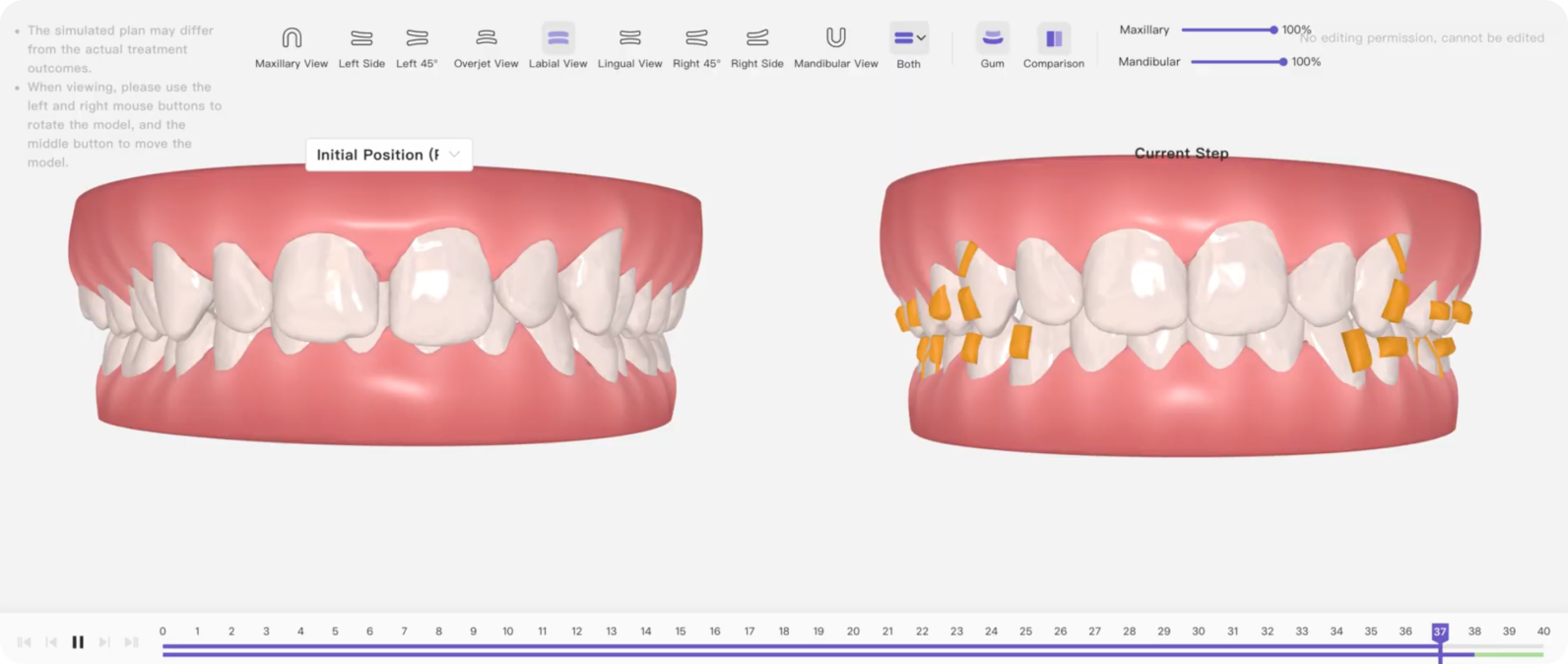
Side-by-Side Comparison
Allows two treatment stages to be viewed next to each other, making differences easier to assess at a glance.
Allows instant evaluation of initial position against final position or position at every step of the treatment plan to verify subtle changes.
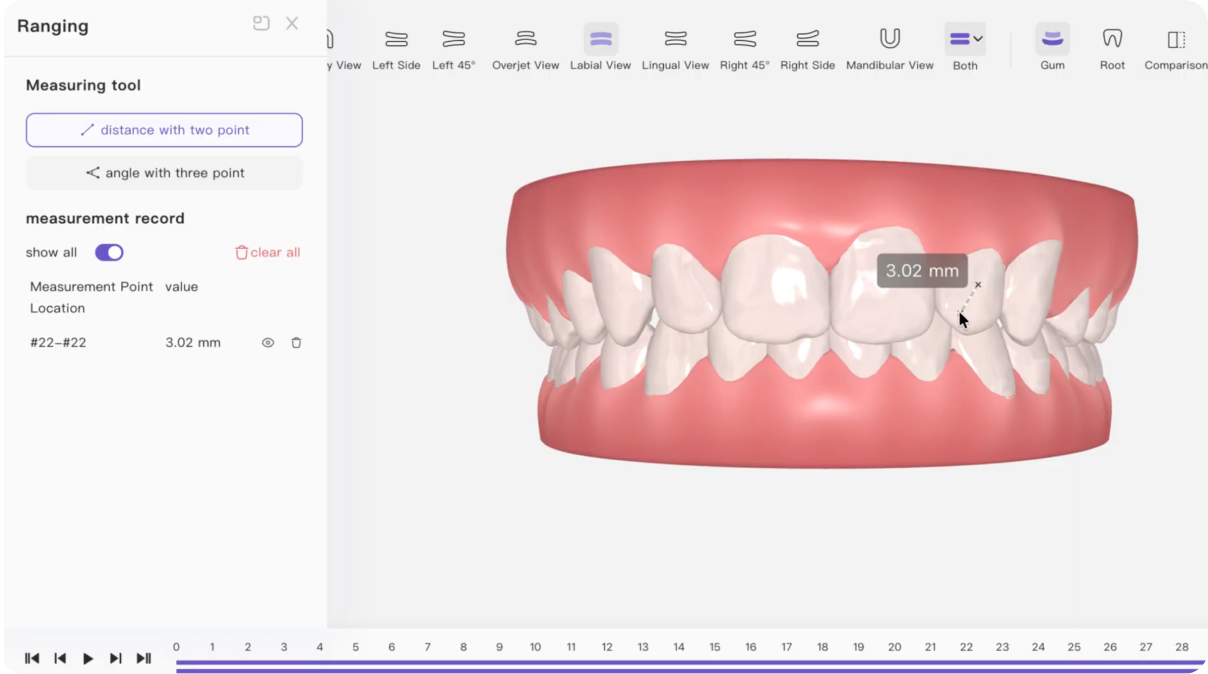
Ranging Tool
Allows you to measure the distance between any two points on the 3D model.
Enables precise measurement of tooth dimensions, arch width variations, and inter-tooth distances directly within the 3D setup.
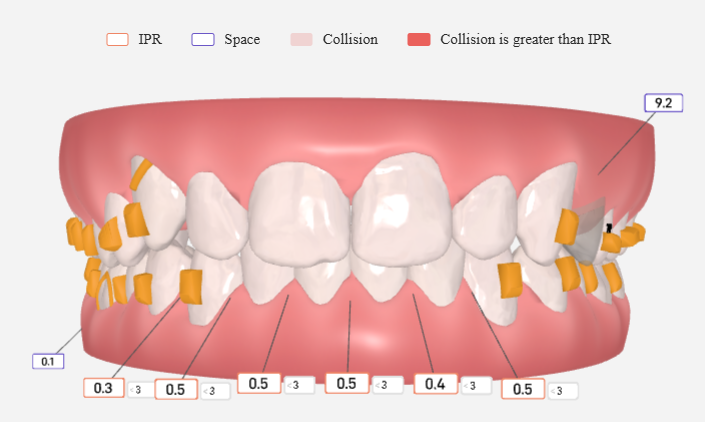
Measure IPR & Spacing Between Teeth
View the amount and location of IPR and space available between teeth at every treatment step.
Helps identify when IPR is planned and before which step it should be performed, track available space throughout treatment, and assess whether sufficient space is available for planned tooth movements.


